
WordPress Quiz Plugin for Interactive Quizzes
If you are searching for a WordPress quiz plugin, you are probably trying to solve one of two problems.
The first is simple: you want to add a quiz to a WordPress page, collect answers, and publish it fast.
The second is broader: you want the quiz to feel more like an experience. That could mean visual pacing, media, explanation screens, branded flow, or a more polished assessment that does more than stack questions on a page.
This page is for that second conversation, while still helping you compare both paths honestly.
It is not a claim that Blazin replaces every quiz plugin. It is not meant to act as a standalone sales page either. The goal is to help you understand what a standard quiz builder usually does well, where a richer workflow may help, and when Blazin is worth a closer look.
Above is a live example of the various Quiz Types available
What most buyers expect from a quiz plugin for WordPress
A standard WordPress quiz tool usually focuses on fast setup inside the WordPress dashboard. That is a strong fit when the main job is to build a quiz quickly, manage basic question logic, and place it on a post or page.
Common expectations include:
- multiple choice questions and answers
- quiz settings for timing, progression, or answer logic
- a way to create quizzes without custom code
- score or result handling
- customization options for colors, layout, or branding
- support for publishing on a WordPress site
- in some products, extras like email list collection, analytics, or page builder integrations
That is why search results for this topic are full of comparison pages and plugin roundups. Searchers are often looking at tools like Quiz Maker by AYS, HD Quiz, Quiz Cat, Thrive Quiz Builder, WP Quiz, or Quiz and Survey Master and asking a practical question: which approach fits the page they want to publish?
For many websites, a standard builder plugin is enough. If the goal is a simple knowledge quiz, trivia quiz, or lightweight lead form with quiz logic, the direct WordPress route can be the fastest answer.
How Blazin approaches this differently
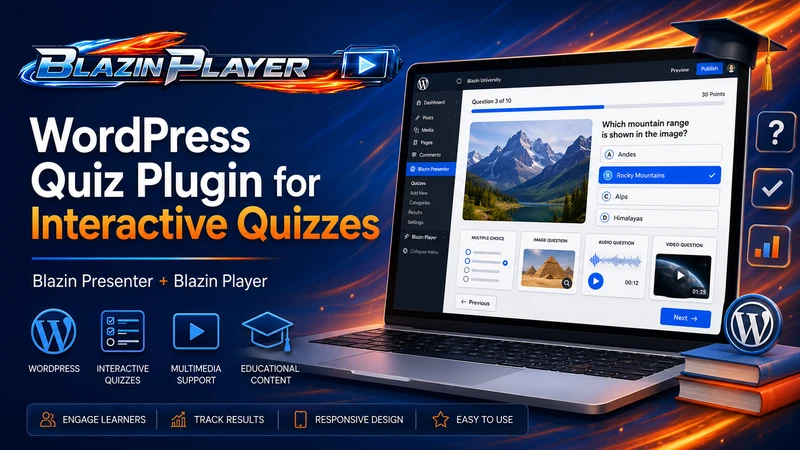
Blazin is better understood as an authoring-and-publishing workflow than a basic dashboard-only quiz builder. Instead of building every part of the quiz directly inside WordPress, you create the interactive experience first and then publish it on your WordPress site.
Blazin Presenter creates the experience
Blazin Presenter is where the experience is built. That is the authoring side.
Instead of treating every screen like a plain question form, Presenter is the place to shape the flow, sequence content, add media, and structure the quiz as part of a larger narrative, lesson, assessment, or guided interaction.
That matters when the goal is not only to make a quiz, but to create something more polished for the person taking it.
Blazin Player publishes that experience in WordPress
Blazin Player is the WordPress publishing layer.
In this workflow, the experience is created in Presenter and then published into WordPress through Player. WordPress still matters. It remains the place where your page copy, SEO, internal links, surrounding context, and conversion path live. But the richer experience itself starts in Presenter rather than being rebuilt entirely inside a typical WordPress plugin interface.
That split is the main idea to understand:
- Build the quiz or guided experience in Blazin Presenter.
- Publish it for web delivery.
- Use Blazin Player to place that experience inside WordPress.
- Use the WordPress page to add search-focused copy, supporting content, and calls to action.
For teams creating richer interactive or multimedia experiences, that can be a better match than forcing everything into a conventional builder plugin workflow.
[Image Placeholder: Presenter editing view] [Image Placeholder: Player rendering inside a WordPress page]
Choose a standard quiz plugin if… / Consider Blazin if…
Not every WordPress quiz tool is built for the same kind of quiz. Some sites only need a fast, simple quiz inside WordPress, while others need a more visual, branded, multimedia experience. Use the comparison below to decide which direction fits your use case.
Choose a standard quiz plugin if…
A standard plugin may be the better fit if:
- you want to build a quiz entirely inside WordPress
- speed matters more than presentation depth
- you mainly need basic quiz questions, scoring, and results behavior
- you are comparing mostly on free wordpress plugin availability or low-friction setup
- you want a simple quiz in a blog post or landing page without a separate authoring workflow
- your use case is closer to a classic quiz and survey setup than a richer content experience
In other words, if your requirement is “make a quiz fast and keep everything in one dashboard,” a traditional plugin may be the more direct tool.
Consider Blazin if…
Blazin is worth considering if:
- the quiz is part of a branded content experience, not just a form
- visuals, pacing, or media matter to the outcome
- you want Presenter for creation and Player for WordPress publishing
- the page needs to educate first and then move qualified readers deeper into a product or sales journey
- the quiz is part of onboarding, product education, storytelling, training, or a recommendation flow
- you want WordPress to host the page without making WordPress the only place where the experience is built
That does not make Blazin the best WordPress quiz plugin for every site. It makes it a stronger fit for a narrower, more experience-led use case.
How to create an interactive quiz in WordPress
WordPress gives you several ways to add a quiz to a page, but the best method depends on what you want the quiz to do. A basic quiz plugin works well when you only need questions, answers, scoring, and results. A more visual workflow makes sense when the quiz is part of a larger experience, such as a lesson, product demo, onboarding flow, or lead-generation assessment.
Option 1: Build it directly with a standard plugin
This is the usual path. You install a plugin, create a new quiz in the dashboard, define the question types, configure answer logic, and publish it on the page.
That works well when the quiz itself is the whole deliverable.
Option 2: Create the experience first, then publish it in WordPress
This is the Blazin-style path.
You create the experience in Blazin Presenter, where the flow can include more visual or multimedia context, and then use Blazin Player to publish it inside WordPress.
That can make more sense when the quiz is only one part of the page experience. For example:
- a lead-generation assessment that needs stronger storytelling
- a product education flow with quiz questions between explanation screens
- a personality test where the result presentation matters as much as the answer logic
- a multimedia lesson or guided walkthrough with knowledge checks
If your search intent is mostly “how do I build a basic quiz,” standard plugins are often simpler. If your intent is “how do I publish a more engaging quiz experience on my WordPress website,” Blazin becomes more relevant.
Create Unlimited Quizzes With Different Question Types
Blazin Presenter does not limit you to a single quiz format. You can create as many quizzes as you wish in the editor and choose the quiz type that fits the experience you want to build.
Current quiz options include:
- multiple choice
- fill in the blank
- image match
- audio match
This gives you more flexibility than a simple question-and-answer flow. For example, a basic knowledge quiz may only need multiple-choice questions, while a multimedia lesson or guided assessment may work better with image match, audio match, or fill-in-the-blank interactions.
Common Quiz Types to Consider
Before choosing a WordPress quiz plugin, think about the quiz types you actually need. A simple multiple-choice quiz may only require basic questions, answers, scoring, and a results screen. Other projects may need a personality test, a knowledge quiz, a survey-style flow, or a more guided assessment.
The types of questions also matter. Some quizzes only need text-based answers, while others work better with images, media, explanation screens, or visual context before the quiz taker answers.
Where the Blazin Presenter and Blazin Player Workflow Tends to Fit Best
The Blazin Presenter and Blazin Player workflow is usually strongest when a quiz needs to do more than collect answers and show a score. It is a better fit when the quiz is part of a larger visual, educational, or guided content experience.
For example, a basic WordPress quiz plugin may be enough for a simple multiple-choice quiz. But if the quiz needs to explain ideas, show media, guide the visitor through a sequence, or present the result in a more polished way, the creation experience matters more.
That is where Blazin Presenter and Blazin Player are different. Blazin Presenter is used to create the interactive quiz experience, and Blazin Player is used to publish that experience inside WordPress.
Product education and guided discovery
Some teams need more than a row of multiple choice questions. They want to explain, teach, frame choices, and then check understanding or route the visitor to the next step.
That is a better fit for a workflow that treats the quiz as part of a guided experience.
Multimedia assessments
If the quiz depends on images, media, visual pacing, or presentation flow, the creation layer matters more. This is one of the clearest reasons to look beyond a simple quiz maker plugin.
A multimedia quiz can be useful when the question needs context before the visitor answers, or when the result needs to feel more polished than a basic score screen.
Personality-style or recommendation flows
A personality quiz, product selector, or recommendation path often benefits from stronger pacing and a better result experience. Even when the underlying question logic is not complex, the delivery still matters.
Blazin can make sense when the quiz needs to feel more like an interactive experience than a standard form.
Training, Onboarding, and Knowledge Checks
Blazin can also fit situations where the quiz is part of a training or onboarding flow. For example, you might want to explain a concept first, show supporting media, ask a knowledge-check question, and then continue to the next screen based on the visitor’s progress.
In that kind of use case, the quiz is not just a quiz. It is part of the learning or onboarding experience.
Comparison questions worth asking before you choose
When you compare WordPress quiz plugins, feature checklists alone are not enough. It helps to ask a few practical questions.
Free, Pro, and Premium Plugin Features
Many WordPress quiz tools offer a free version, then reserve advanced features for a pro version or premium version. That is not necessarily a problem, but it is worth checking before you build the quiz.
Look at whether the tool limits quiz types, result screens, design control, media support, email list integrations, quiz timer settings, or the number of quizzes you can create. A free version may be enough for a simple quiz, while a paid option may be needed if the quiz is part of a larger content or lead-generation workflow.
The Blazin workflow is different. Blazin Presenter lets you test and build the interactive experience in the free editor, while Blazin Player is the WordPress publishing layer used when you want to place that experience inside a WordPress site.
Do I need basic quiz building or a fuller content experience?
If you mainly need standard question types, a timer, or straightforward results, many plugins for WordPress can cover that.
If you need the quiz to feel more like a guided presentation, assessment, or multimedia story, the creation workflow becomes more important.
Does media matter to the experience?
If your quizzes include images or media as part of the experience, look closely at how each tool handles that. With Blazin, media-rich authoring is part of the product story, which is one reason it fits better for richer experiences than for simple form-first quiz pages.
Do I need to verify embedding or builder compatibility?
If your team cares about Gutenberg, Elementor, shortcodes, or other page-builder workflows, treat those as implementation checks. Review the current Blazin Player product documentation or demo before making a live compatibility claim for your site.
Do I need results, analytics, or lead capture features?
Many searchers care about quiz results, lead generation, or analytics. Those needs are valid, but they should be verified against the current product and implementation before the page promises them directly.
For this reason, the safest way to position Blazin here is not to overclaim. If your use case depends on scoring behavior, result handling, analytics, or email capture, confirm the exact workflow on the relevant Blazin product page or with a live demo.
Next Step: Build a More Interactive Quiz Experience
A standard WordPress quiz plugin can be a good fit when you only need basic questions, scoring, and results. But if your quiz needs to feel more visual, guided, or multimedia-driven, Blazin gives you a different workflow.
With Blazin Presenter, you can create the quiz experience first, including slides, visuals, media, explanations, and interactive moments. Then, with Blazin Player, you can publish that experience inside WordPress.
To see how the workflow fits together, start with one of these next steps:
- create an interactive quiz experience with Blazin Presenter
- publish a Blazin Presenter project inside WordPress with Blazin Player
- view a sample quiz or guided assessment workflow
Interested in the Blazin Player WordPress Plugin Click Here
Or You Can Start Using Blazin Presenter Right Now For Free!
FAQ
What is a WordPress quiz plugin?
A WordPress quiz plugin is a tool that lets you publish quiz content on a WordPress site. Depending on the product, that may include quiz questions, answer logic, result handling, design controls, or integrations with other parts of the site.
How do I create an interactive quiz in WordPress?
You can either build it directly in a standard plugin or create the experience in a separate authoring tool and then publish it in WordPress. Blazin follows the second model: Blazin Presenter creates the experience, and Blazin Player publishes that experience in WordPress.
What is the best free WordPress quiz plugin?
That depends on what you mean by best. If your goal is a free version for simple quiz building, a standard WordPress.org plugin may be the better place to start. If your goal is a richer branded experience, the better question is whether the workflow supports the kind of content you want to publish.
Can quizzes include images or media?
Many quiz tools can include media in some form, but the depth of that support varies. If media is central to the experience rather than just decorative, that is one reason Blazin may be worth evaluating more closely.
Can I make a quiz to generate leads?
Yes, quizzes are often used for lead generation. The important part is matching the tool to the role the quiz needs to play. A simple form-style funnel may not need Blazin. A more polished assessment or recommendation experience may be a better fit for Blazin, depending on the exact conversion path and feature requirements.
Can I track and analyze quiz or survey results?
Many products in this category offer some level of result tracking or analytics. If your use case depends on detailed reporting, scoring, or survey-style analysis, verify the current Blazin workflow before treating that as a confirmed capability for your implementation.
Can I include quizzes on any post or page?
Standard plugins often support placing quizzes on posts or pages. With Blazin, the practical question is how Blazin Player is used to publish the created experience within your WordPress setup. Review the current product workflow to confirm how this is handled on your site.
Does it work with Gutenberg or common page builders?
Yes. Blazin Player is designed to publish Blazin Presenter projects inside WordPress, and it works with the built-in WordPress editor and Elementor.
That means you can build the interactive quiz or presentation experience in Blazin Presenter, then place it inside a WordPress page where you control the surrounding content, layout, SEO copy, internal links, and calls to action.
If you use Elementor, you can include the Blazin experience as part of a larger page design. If you use the standard WordPress editor, you can still place the interactive content inside the page and support it with text, images, buttons, and other page elements.
As with any interactive content, it is still a good idea to preview the page on desktop and mobile before publishing.
Is the Blazin Workflow a Replacement for Every Quiz Plugin Use Case?
No. That is not the right framing. If you need a quick, standard quiz builder inside WordPress, a traditional plugin may be enough. The Blazin Presenter and Blazin Player workflow is more relevant when the experience itself needs to do more work.
When Is the Blazin Presenter + Blazin Player Workflow the Better Fit?
The Blazin workflow is usually a better fit when the quiz is part of a richer interactive or multimedia experience. Blazin Presenter is used to create the quiz experience, while Blazin Player is used to publish that experience inside WordPress.
This split can make sense when you want more control over visuals, pacing, media, and the surrounding content journey than a basic dashboard-only quiz plugin usually provides.
Final takeaway
A search for wordpress quiz plugin often sounds feature-driven, but the real decision is usually about workflow.
If you want a fast, dashboard-first way to create quizzes, a standard plugin may be the simplest path.
If you want the page to educate, guide, and feel more like a branded experience than a plain form, Blazin Presenter is a more natural option to evaluate. Blazin Presenter creates the experience. Blazin Player publishes it in WordPress. That makes Blazin Presenter with Blazin Player a strong fit for teams using SEO acquisition content to bring in qualified visitors and then route them toward the right product or sales pages.